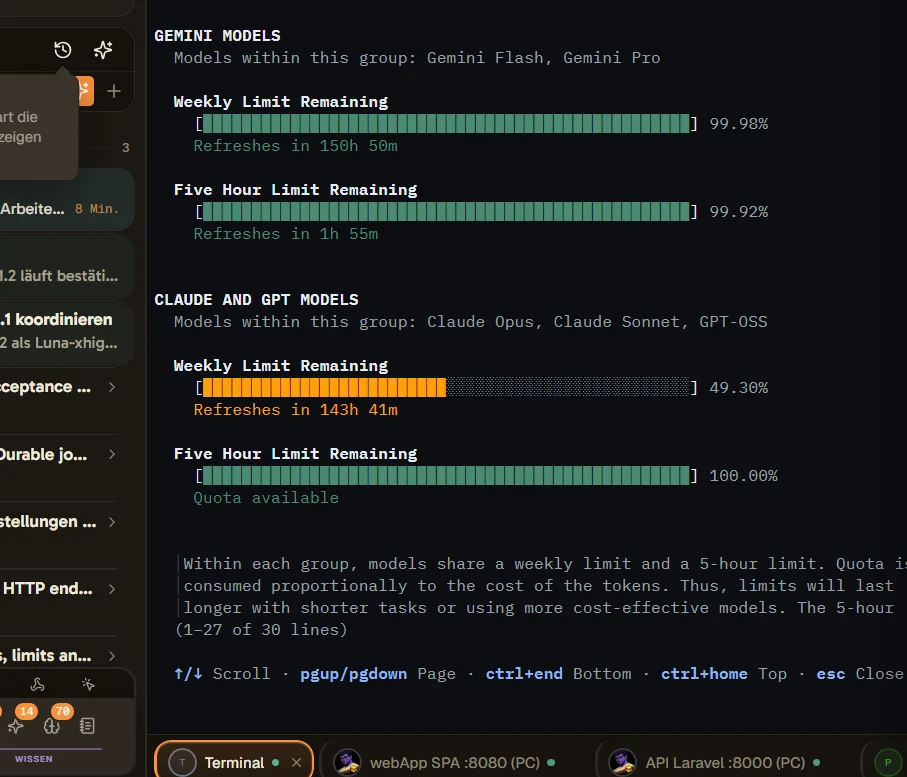
Environment: AgentsRoom 1.214.0, Windows, observed on 2026-10-15.
Problem: AgentsRoom previously displayed Antigravity (AGY) quotas but no longer retrieves them.
Steps to reproduce:
- Use the existing Antigravity system account.
- Call the AgentsRoom MCP tool
usage_overview.
- Inspect the
antigravity provider.
Expected: Available quota usage and reset times are returned.
Actual: The provider returns hasQuotaSignal: false and error: "no_data". Its system-account entry returns error: "no_token" and bars: []. Claude, Codex and Grok return quota data in the same call.
Impact: The remaining AGY budget cannot be assessed through AgentsRoom.
Investigation requested: Check Antigravity token discovery and quota retrieval. If authentication must be renewed, provide a clear recovery instruction. The current evidence does not establish whether the cause is authentication state or an integration regression.
AgentsRoom diagnostics
- App version: 1.214.0
- OS: win32 10.0.26200 (x64)
- App language: system
Expected behavior
Available quota usage and reset times are returned.
Actual behavior
The provider returns hasQuotaSignal: false and error: "no_data". Its system-account entry returns error: "no_token" and bars: []. Claude, Codex and Grok return quota data in the same call.
Steps to reproduce
- Use the existing Antigravity system account.
- Call the AgentsRoom MCP tool usage_overview.
- Inspect the antigravity provider.
Version or build
AgentsRoom 1.214.0, Windows, observed on 2026-10-15.
Errors and logs
antigravity: hasQuotaSignal=false, error="no_data"; systemAccount=true, error="no_token", bars=[]