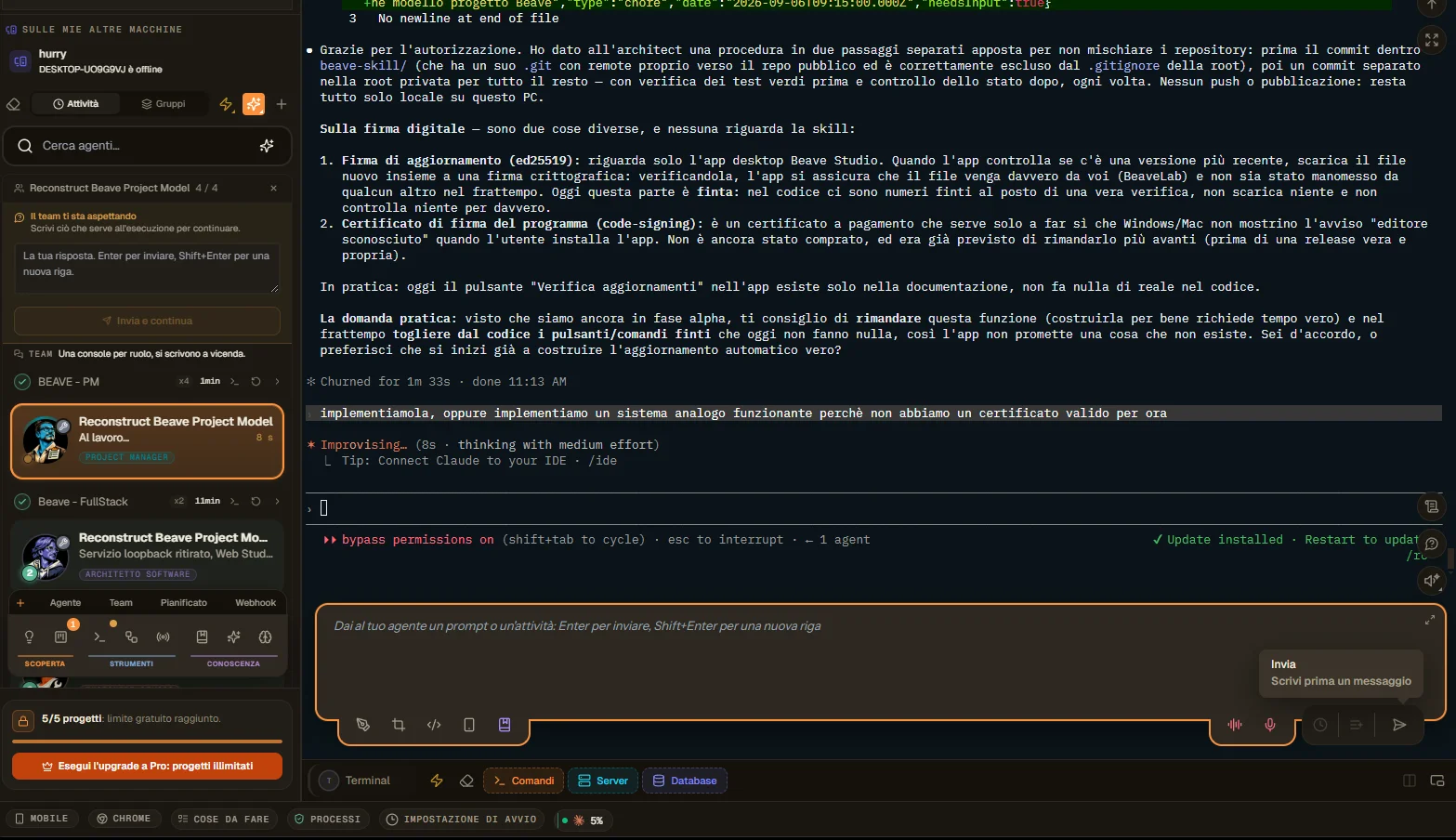
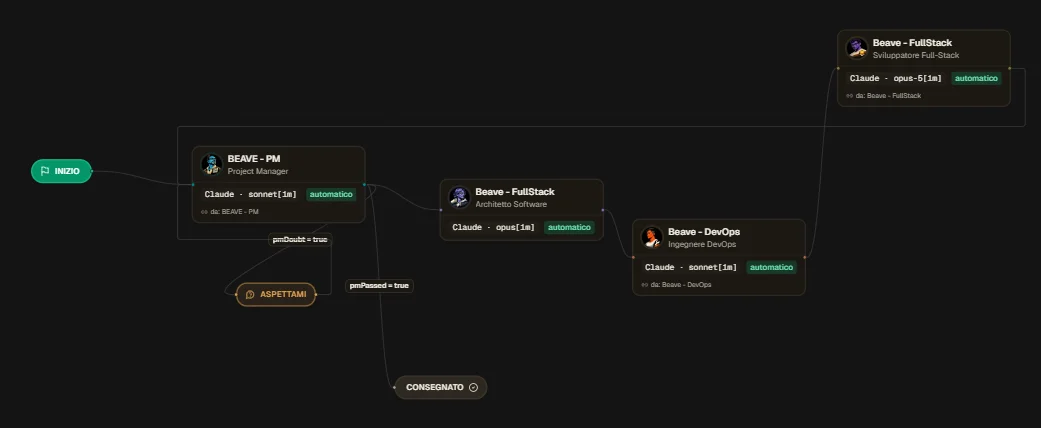
As you can see from the screenshot, I've set up a waiting node in the team, and in the other screenshot, a dedicated box has appeared on the right for waiting.
I'll describe what would be interesting to see in this context and the problems I'm encountering:
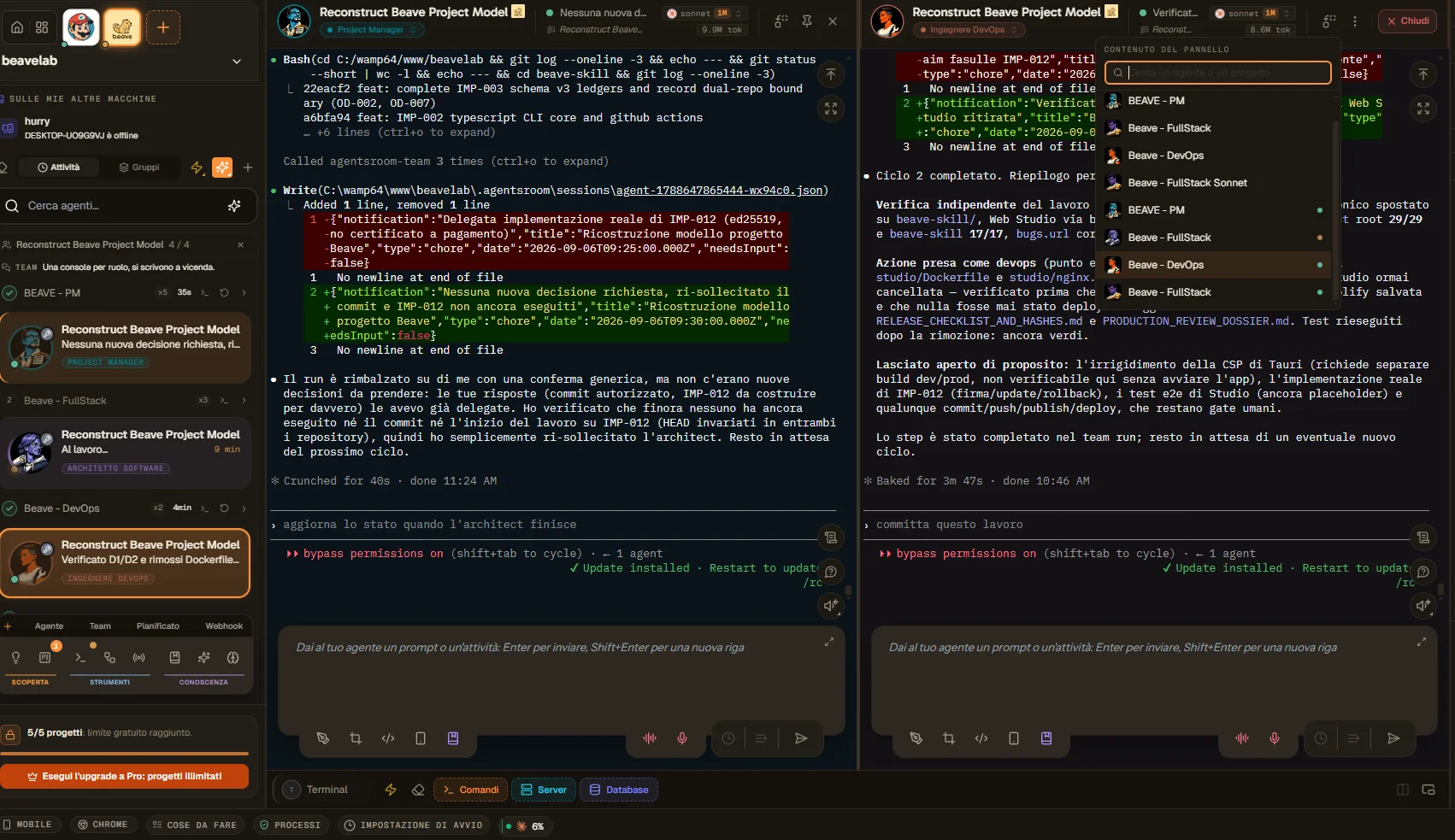
- When I launch the backlog and click, a window opens showing the CLI for an agent (I don't know based on what). I suggest two options, depending on which is feasible:
Show all the CLIs for all the agents involved (so each box for each agent, a multi-cli window) so you can monitor output and who's working on what; or, if you add the CLIs, try showing a window that summarizes or shows what's been done as a backlog management process (this concept is abstract, I know, but as it stands now, it seems like it opens a random window; it's unclear what stage of the process or the backlog tasks has reached).
- that waiting box works, but all it does is insert the response into the CLI, and if I respond in the CLI without going through that box, the agent responds but doesn't resume execution; it remains waiting. This isn't entirely a bad thing because I can communicate with the agent and only write in the box when I want to restart. However, I don't know if this works correctly, and the procedure is certainly unclear. It would be nice if it were clearer, and if the box were inserted into the window where the CLI is, even better in the backlog window I suggested before, because as it is now, it's very confusing. It seems like I can write in all the agent chats; there's no visual hierarchy.
- there's a bug in the third screen. In the view, there's the typical architect icon, but the name says full stack, and if you click it, it opens the architect, so he messed up the name by entering the wrong one.
This is part 1, but I have limited space in this box, so I'll post another with the missing part. Thanks.